
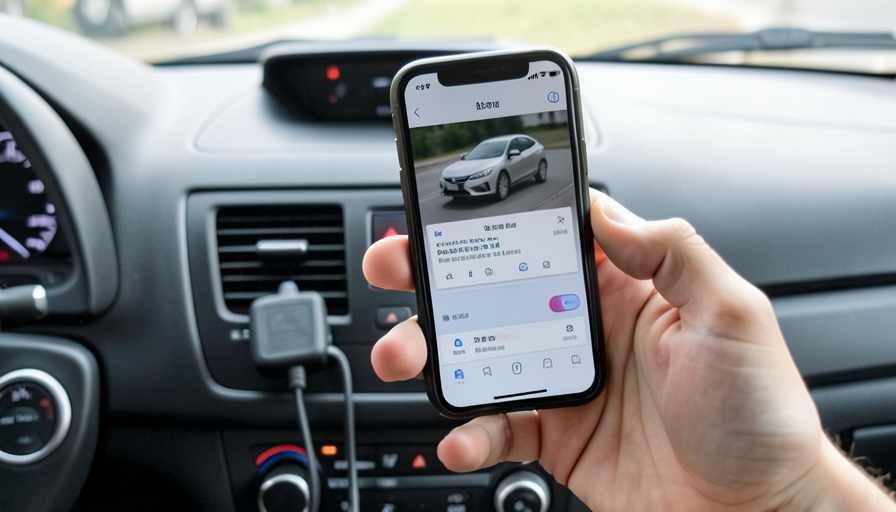
9 OBD2 Scanner Apps That Actually Clear Engine Codes
You buy a cheap OBD2 adapter, pair it with an app, read the check engine code, and then hit the wall: the app will tell you what is wrong but wants a subscription, or a one-time unlock, before it will actually clear the light. Some will not clear codes at all. If your goal is to read the code and turn the light off yourself, you need an app that genuinely supports clearing. Here are nine that do, plus the one thing you should understand before you clear anything.
A quick reminder that trips people up: the app is just the interface. You still need a physical OBD2 adapter, usually an inexpensive Bluetooth or WiFi dongle, plugged into the port under your dashboard, and app compatibility with that adapter matters. With that in place, the apps below can read and clear standard trouble codes, and several add live data and repair guidance. First, though, the catch worth knowing.
The Short Version
For most drivers, BlueDriver is the reliable all-rounder, reading and clearing codes with plain-language repair reports and its own quality adapter, no subscription. OBD Fusion and Car Scanner are powerful picks that work with many cheap adapters, and Torque Pro is the Android classic. FIXD and OBDLink pair polished apps with their own sensors, and Carly goes deep on specific car brands, though it runs on a subscription. OBD Auto Doctor works with budget adapters across platforms, while EOBD Facile is popular but makes you pay to clear the light. The one thing to know: clearing a code does not fix the problem, and it resets your emissions readiness monitors, which can make you fail a smog test until you drive it off.
Read vs clear, and the catch nobody mentions
Almost any OBD2 app can read a code for free; clearing is where they differ, since some gate it behind a paid tier and others handle it out of the box. But before you clear anything, understand two things. First, clearing the code does not repair the fault. If the underlying problem is still there, the check engine light will simply come back, sometimes within minutes, so clearing is for confirming a fix or resetting after a repair, not for making a real issue disappear. Second, clearing codes also resets your car’s emissions readiness monitors, the self-tests a smog or inspection station checks. Right after you clear, those monitors read “not ready,” and you typically need to complete several drive cycles before they reset, so clearing the light just before an emissions test can cause you to fail. Keep both in mind, and the right app becomes a tool rather than a trap.
BlueDriver
BlueDriver is the dependable all-rounder and a favorite for DIY drivers. It reads and clears trouble codes, streams live data, shows freeze-frame information, and produces genuinely useful repair reports that suggest likely causes and fixes. It uses its own well-made Bluetooth adapter rather than a generic clone, which is a big reason it is reliable, and there is no subscription, you buy the dongle and the app is included. If you want something that clears codes and actually helps you understand them, start here.
OBD Fusion
OBD Fusion is the power-user pick that still stays affordable. It reads and clears codes, shows extensive live data, and supports enhanced, manufacturer-specific diagnostics for many vehicles through add-ons, all while working with a wide range of inexpensive adapters. It is a one-time app purchase rather than a subscription, which appeals to people who do not want a recurring bill. There is a bit more of a learning curve than a plug-and-play app, but for capability per dollar it is hard to beat.
Car Scanner ELM OBD2
Car Scanner is the free value standout. It reads and clears codes, displays customizable live dashboards, and works with the cheap ELM327 Bluetooth and WiFi adapters most people already own. The core features are free, with an optional low-cost upgrade for extras, so it is an easy first app to try before spending on anything. Adapter quality varies with the bargain dongles it supports, so pair it with a reasonably reviewed one, but for zero cost it does the essential job well, including clearing the light.
Torque Pro
Torque Pro is the long-standing Android classic. It reads and clears codes, offers highly customizable real-time gauges and logging, and supports a range of plugins and cheap adapters, all for a one-time purchase with no subscription. It is Android-only, which rules it out for iPhone users, and its interface shows its age, but for Android owners who want deep, tweakable data alongside code clearing, it remains a strong and inexpensive choice.
FIXD and OBDLink
Two polished options that come with their own sensors. FIXD pairs a simple app with its own dongle and is built around plain-English explanations of what a code means and how urgent it is, which suits drivers who want reassurance more than raw data; it reads and clears codes, though some advanced features sit behind a premium subscription. OBDLink is the choice when you want reliability and depth, pairing a fast, well-regarded app with its own quality adapters and offering enhanced diagnostics for many makes, code clearing included, without forcing a subscription for the basics.
Carly, OBD Auto Doctor, and EOBD Facile
Three more to round out the list. Carly goes deepest on specific brands like BMW, Volkswagen, and Mercedes, offering manufacturer-level diagnostics and coding well beyond generic codes, and it clears codes, but it runs on a subscription and works best with its own adapter. OBD Auto Doctor is a cross-platform option that reads and clears fault codes and shows live sensor data while working with inexpensive readers, a solid no-frills pick. And EOBD Facile is widely used and reads codes for free, but note that it makes you pay to clear the check engine light, so factor that in if turning the light off is your main goal.
Main Takeaways
- Many OBD2 apps read codes free but gate clearing behind a paid tier, so confirm an app actually clears before you rely on it.
- BlueDriver, OBD Fusion, Car Scanner, Torque Pro, OBDLink, and OBD Auto Doctor all clear codes, with Car Scanner free to start.
- FIXD and Carly are polished but have paid tiers, and EOBD Facile specifically charges to clear the light.
- The app needs a compatible OBD2 adapter plugged into your car; adapter quality affects reliability with the cheaper apps.
- Clearing a code does not fix the fault and resets emissions readiness monitors, which can fail a smog test until you complete drive cycles.
For more car and DIY guides, browse the DelightfulBlogs Automotive section, or follow our Tech desk.
Frequently Asked Questions
Can a phone app really clear the check engine light?
Yes, if the app supports clearing and you have a compatible OBD2 adapter plugged in. Apps like BlueDriver, OBD Fusion, Car Scanner, Torque Pro, OBDLink, and OBD Auto Doctor can clear standard trouble codes and turn off the light. Just remember the app is only the interface; the physical adapter in your car’s port does the connecting.
Does clearing the code fix the problem?
No. Clearing only resets the code and turns off the light; it does not repair the underlying fault. If the problem persists, the light comes back, often quickly. Clearing is best used to confirm a repair worked or to reset the system after fixing the actual issue, not to make a real problem go away.
Will clearing codes make me fail an emissions test?
It can, temporarily. Clearing codes resets your emissions readiness monitors to “not ready,” and most inspections require those monitors to be complete. You usually need to drive through several drive cycles before they reset, so clearing the light right before a smog test is a common way to fail. Clear it well ahead, then drive it.
Which OBD2 app is best if I don’t want a subscription?
BlueDriver, OBD Fusion, Car Scanner, Torque Pro, OBDLink, and OBD Auto Doctor all avoid a required subscription, with Car Scanner free to start and the others a one-time app or adapter purchase. FIXD and Carly, by contrast, put some or most features behind a paid tier, so choose based on whether you prefer paying once or ongoing.
Do I need a specific adapter for these apps?
Some apps, like BlueDriver, FIXD, OBDLink, and Carly, work best or only with their own adapters, while others, like OBD Fusion, Car Scanner, Torque Pro, and OBD Auto Doctor, work with generic ELM327 Bluetooth or WiFi dongles. With the generic ones, adapter quality varies, so pick a well-reviewed dongle to avoid connection and reliability problems.
The Bottom Line
Turning off your own check engine light is genuinely doable from a phone, as long as you pick an app that clears codes rather than one that only reads them or charges to do it. BlueDriver is the easy, reliable default, OBD Fusion and Car Scanner cover the power-user and free ends, and the rest fit specific needs from brand-deep diagnostics to plain-English simplicity. Just hold onto the two truths that matter: clearing is not fixing, and it resets your readiness monitors. Use the right app with those in mind, and you can read, understand, and clear codes without a trip to the shop.