
Affirm vs Klarna Returns: Which Avoids Refund Confusion?
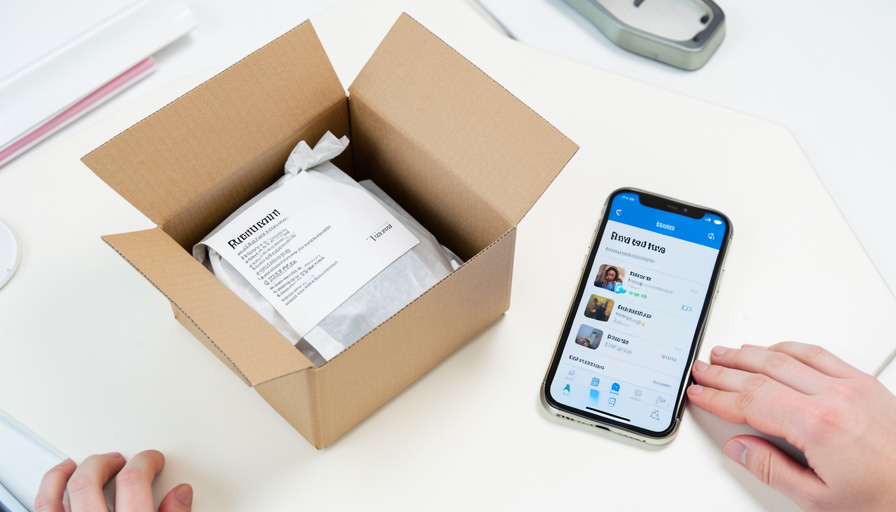
You send back the sweater, the store confirms the return, and then your buy-now-pay-later app charges you anyway on schedule. It feels like a glitch, but it is how these plans work: the refund has to travel back through the provider before your installments stop, and until it does, the payments keep coming. Affirm and Klarna both deal with this, in genuinely different ways, and knowing which fits how you shop can save you a confusing month of wondering whether you still owe money on something you returned.
The confusion is not a bug so much as a timing gap between three parties: you, the merchant, and the lender. The question worth answering before you rely on either service is how each one closes that gap, whether it puts you in control, whether it does the work for you, and whether a payment that slips through during the wait costs you anything. Here is how they compare.
The Short Version
Klarna lets you pause payments yourself: when you report a return in the app, it pauses your invoice while the store processes it, which gives you visible control but requires you to remember to do it, and a missed payment you never reported can draw a late fee. Affirm does it automatically instead: once the merchant issues the refund, Affirm pauses your plan and refunds what you have already paid, minus any interest, and it charges no late fees at all, so a payment during the wait does not penalize you. Klarna is better if you want to act and see the pause immediately; Affirm is better if you want it hands-off and penalty-free. Both refund to your original payment method once the merchant’s refund reaches them, and both lag the store’s own timeline.
Why “I returned it but I’m still paying” happens
With a normal card, a refund lands back on the same card and the story ends. Buy-now-pay-later adds a middle step. When you return an item, the merchant processes the refund on their own timeline, then sends it to the BNPL provider, who applies it to your plan and, if you have overpaid, refunds the difference to your original card. None of that is instant, and importantly, starting a return with the store does not automatically freeze your installments. So your scheduled payments keep drafting in the gap between the store accepting the return and the refund actually reaching Affirm or Klarna, which is exactly the window where people panic that they are paying for nothing. How each service handles that window is the whole comparison.
This article is general information, not financial advice. Buy-now-pay-later terms, fees, and refund processes change and vary by plan, merchant, and region. Confirm the current details in your Affirm or Klarna agreement and app, and contact the provider directly about any specific payment or refund on your account.
Klarna: report the return to pause payments
Klarna’s answer is to put you in control, through a feature in the app. When you send something back, you report the return in Klarna, and it pauses your invoice while the store registers the return and updates your balance. That visibility is the strength: you can see the payment is on hold rather than wondering. The catch is that it does not happen on its own. Klarna expects payments to continue unless you report the return, so if you forget and a payment is missed, you can face a late fee. Once the store confirms, Klarna adjusts your remaining payments or refunds your original method, which can take a couple of billing cycles depending on the merchant. Follow the return steps and report it, and the confusion mostly disappears.
Affirm: automatic pause, and no late fees
Affirm takes the opposite approach: it does the work for you and removes the penalty. Once the merchant issues the refund, Affirm pauses your payment plan and refunds any payments you have already made, applying the refund to your loan and returning any overpayment to your original card, though interest you already paid on an interest-bearing loan is generally not returned. The standout is that Affirm charges no late fees, ever, so even if a payment drafts during the return window, it does not cost you extra, and Affirm supports refunds for up to 120 days. There is no self-service “pause” button the way Klarna has, and the pause depends on the merchant initiating the refund, but for a hands-off, penalty-free experience, that trade is often worth it.
Head to head: which avoids the confusion
Neither one refunds you the instant you drop a package at the carrier, so both leave some lag. The real difference is who acts and whether the wait can cost you. Here is the breakdown.
| Factor | Klarna | Affirm |
|---|---|---|
| How payments pause during a return | When you report the return in the app | Automatically when the merchant refunds |
| Do you have to do anything | Yes, report the return | No, but it depends on the merchant |
| Late fee if a payment is missed | Possible if not reported | None, Affirm charges no late fees |
| Refund of payments already made | To your original method | To your original method |
| Interest already paid | No interest on Pay in 4 | Not refunded on interest-bearing loans |
| Best for | Wanting visible, proactive control | Wanting it hands-off and penalty-free |
If you reliably open the app and report returns, Klarna’s pause is the clearest way to stop the confusion at the source. If you would rather not manage it and never want a return to trigger a fee, Affirm’s automatic pause and no-late-fee policy is the safer default.
How to avoid a refund mix-up either way
Whichever you use, a few habits keep a return from turning into a billing mystery. If you are on Klarna, report the return in the app as soon as you ship it, so your invoice pauses instead of drafting. On either service, keep proof that you returned the item, the tracking and the store’s confirmation, in case the refund stalls. Do not simply cancel your autopay or card to stop payments, since that can register as a missed payment rather than a return and cause its own problems, especially on Klarna. Expect a lag of one to two billing cycles while the merchant and provider sort it out, and if you had an interest-bearing Affirm loan, remember that already-paid interest usually is not refunded. Finally, check that the refund actually posted to your plan and, if you overpaid, back to your card, rather than assuming it did.
Main Takeaways
- Starting a return with the store does not freeze your BNPL payments; the refund has to travel back through the provider first.
- Klarna pauses your invoice when you report the return in the app, giving proactive control but requiring you to act.
- Affirm pauses automatically once the merchant refunds and charges no late fees, making a payment during the wait harmless.
- Both refund payments you already made to your original method, but already-paid interest on an Affirm loan is generally not returned.
- Keep proof of the return, avoid canceling autopay to stop payments, and expect a lag of one to two billing cycles.
For more money and consumer guides, browse the DelightfulBlogs Finance section, or follow our Business desk.
Frequently Asked Questions
Why am I still being charged after returning a BNPL purchase?
Because the refund has not reached the provider yet. Reporting a return to the store does not automatically stop your installments; the merchant must process the refund and send it to Affirm or Klarna, who then pause your plan and refund any overpayment. Until that happens, scheduled payments continue, which is normal, if confusing.
Does Klarna pause payments when I return something?
Only if you report the return in the app. When you do, Klarna pauses your invoice while the store registers the return and updates your balance. If you do not report it, payments continue as scheduled and a missed one can incur a late fee, so reporting the return promptly is the key step with Klarna.
Does Affirm charge late fees if a payment hits during a return?
No. Affirm charges no late fees at all, so a payment that drafts while your return is being processed does not penalize you. Once the merchant issues the refund, Affirm pauses your plan and refunds payments you have already made, returning any overpayment to your original card, though already-paid interest is generally not refunded.
How long does a BNPL refund take?
It depends on the merchant’s own return processing plus the provider’s step, typically one to two billing cycles. With Klarna, a refund often shows in the app within a day of the store confirming and takes several business days to reach your original card. Affirm supports refunds for up to 120 days after purchase. Keep your return tracking until it posts.
Should I cancel autopay to stop payments during a return?
No. Canceling autopay or your card can register as a missed payment rather than a return and cause late marks or fees, especially on Klarna. Instead, report the return in the app if you use Klarna, or let Affirm’s automatic pause and no-late-fee policy handle it, and keep proof of the return in case anything stalls.
The Bottom Line
Both Affirm and Klarna will get you your money back after a return; the difference is how much you have to think about it in the meantime. Klarna hands you the controls, so if you report your returns promptly you get a clear, visible pause. Affirm takes the wheel, pausing automatically and never charging a late fee, so the wait cannot cost you even if you forget it is happening. Match that to how you actually behave. Then, whichever you use, keep your return proof, resist the urge to yank autopay, and give the refund a cycle or two to work its way home.