
7 MyFitnessPal Alternatives With Free Barcode Scanning
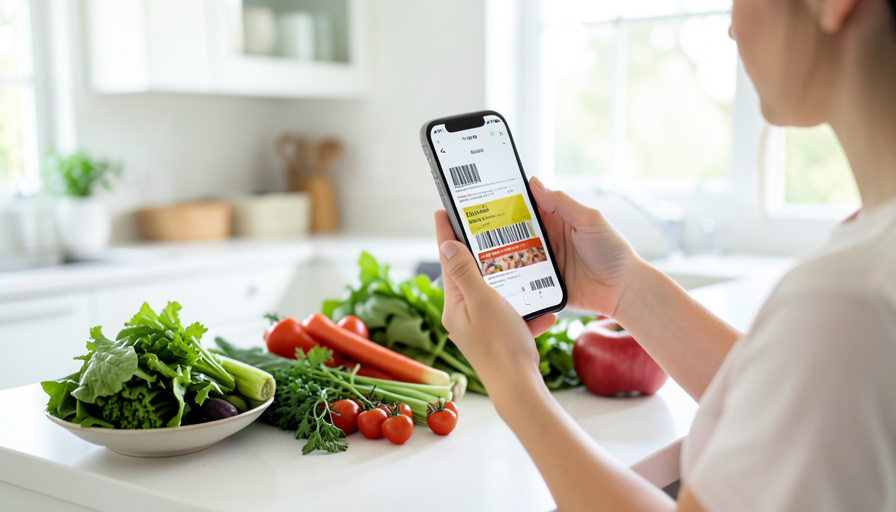
The whole reason food logging ever felt fast was the barcode scanner: point your phone at a wrapper, and the calories and macros filled themselves in. Then MyFitnessPal moved that scanner behind its Premium subscription, and suddenly free users were back to typing food names by hand. If you are not willing to pay a subscription just to scan a barcode, you have good options, because several trackers still keep scanning completely free. Here are seven MyFitnessPal alternatives that let you scan a package without a paywall, with the honest tradeoffs of each.
A quick note before the list, because accuracy matters here: not every “free” app still includes free scanning. Lose It! moved its barcode scanner behind a paywall, and Yazio’s free tier has become inconsistent on this feature. Every app below was chosen specifically because it keeps barcode scanning free, so you can scan first and decide about paying later, if ever.
The Short Version
For free barcode scanning without a subscription, Cronometer is the top all-around pick, with free scanning and the deepest nutrient detail, while FatSecret is the most fully featured free tracker, keeping scanning, macros, and a food diary at no cost. MyNetDiary offers free, ad-free scanning with a verified food database. Yuka scans products to rate their healthfulness rather than count calories, and Open Food Facts is a free, open-source database you can scan any product into. For the privacy-minded, the open-source trackers OpenNutriTracker and Waistline scan through Open Food Facts with no subscription possible. Pick based on whether you want a full diary, a health rating, or an open-source tool.
How we chose these
After MyFitnessPal moved its barcode scanner behind Premium, and with other apps following, the scan-a-wrapper convenience that made logging painless got locked away from free users. To make this list, an app had to keep barcode scanning genuinely free with no subscription required, be actively maintained, and pull from a real food database. We spread the picks across full calorie diaries, a product-health scanner, and open-source tools, so there is a fit whether you count macros to the gram or just want to check what is in a package. We confirmed each keeps scanning free as of 2026, and deliberately left out apps like Lose It!, and Yazio in its shifting free tier, where scanning now sits behind a paywall.
This is general information, not medical or nutrition advice. Calorie and nutrient counts from any app or database can be inaccurate, and individual needs vary, so talk to a doctor or registered dietitian before making significant diet changes, particularly if you have a health condition or any history of disordered eating. If tracking food ever starts to feel harmful, it is okay to step away from it.
The 7 apps that keep barcode scanning free
- Cronometer. Cronometer is the standout for most ex-MyFitnessPal users, because its free tier includes barcode scanning and tracks over 80 micronutrients from a verified database, so you get real depth without paying. It is the pick if you care about accuracy and nutrients beyond calories. A subscription adds extra features, but scanning and core tracking stay free.
- FatSecret. FatSecret is the most fully featured genuinely free tracker, keeping barcode scanning, a food diary, macros, recipes, and a community all at no cost, since it has not moved core features behind a paywall. It is ad-supported, which is the tradeoff, but for a complete free tracker with scanning, it is hard to beat.
- MyNetDiary. MyNetDiary pairs free, ad-free barcode scanning with a staff-verified food database, and it is known for fast, efficient logging. That verified data and clean experience make it a strong daily driver. A premium tier exists for extras, but the scanning and everyday tracking you need are free.
- Yuka. Yuka is different: it scans a product’s barcode to rate how healthy it is and to flag additives, rather than count your calories. It is free and ad-free, and best used alongside a calorie tracker if you also log intake. If your goal is understanding what is actually in the packaged foods you buy, Yuka is excellent.
- Open Food Facts. Open Food Facts is a free, open-source, community-maintained food database you can scan any product into to see its nutrition, ingredients, and scores. It is a nonprofit with no ads and no account required, and it powers many other apps. It is more a lookup and scanning tool than a full diary, but it is free forever.
- OpenNutriTracker. OpenNutriTracker is an open-source calorie and macro tracker built on the Open Food Facts database, with barcode scanning and no subscription possible, since it is free software. It suits the privacy-minded who want a real diary without ads, accounts, or upsells. Being community-built, it is more minimal than the big commercial apps.
- Waistline. Waistline is another open-source, privacy-first calorie tracker that scans through Open Food Facts, available for Android and free forever with no account needed. It is minimal and works well offline, which appeals to people who want their food data to stay on their own device rather than in a company’s cloud.

How to pick the right one for you
Start with what you actually want the app to do. If you want a full calorie and nutrient diary with the best free depth, Cronometer is the place to begin, and if you want the most complete free tracker overall, FatSecret covers scanning, macros, and recipes without paying. Choose MyNetDiary if an ad-free, verified-food experience and fast logging matter most. If you care less about counting calories and more about how healthy a packaged food is, Yuka answers that in one scan. And if privacy or open-source software is your priority, Open Food Facts, OpenNutriTracker, and Waistline keep your data in your hands with scanning that can never be paywalled. Try one or two for a week, since the best tracker is simply the one you will keep using, and let the free scanner do the tedious part for you.
Main Takeaways
- MyFitnessPal locked barcode scanning behind Premium, but several alternatives keep it free with no subscription.
- Cronometer and FatSecret are the strongest free full trackers, with Cronometer leading on nutrient detail and FatSecret on all-around features.
- MyNetDiary offers free, ad-free scanning with verified foods, and Yuka scans products to rate their healthfulness rather than count calories.
- Open Food Facts, OpenNutriTracker, and Waistline are free and open-source, keeping your data private with scanning that cannot be paywalled.
- Confirm a feature is free before committing, since some apps like Lose It! have moved scanning behind a paywall.
For more fitness and wellness guides, browse the DelightfulBlogs Health & Fitness section, or see our questions to ask before buying a treadmill that requires a subscription.
Frequently Asked Questions
Does MyFitnessPal still have a free barcode scanner?
No. MyFitnessPal moved its barcode scanner behind its Premium subscription in 2022, so free users have to search for foods by name instead. If scanning packages is important to you and you do not want to pay, the alternatives here, such as Cronometer, FatSecret, and MyNetDiary, keep barcode scanning free.
Which free app is the best MyFitnessPal replacement?
For most people, Cronometer or FatSecret. Cronometer offers free barcode scanning with the deepest nutrient tracking, while FatSecret is the most complete free tracker, keeping scanning, macros, a diary, and recipes at no cost. If you want an ad-free experience with verified foods, MyNetDiary is also excellent. All three keep scanning free without a subscription.
Is there a free calorie tracker with no ads and barcode scanning?
Yes. MyNetDiary offers ad-free barcode scanning on its free tier, and the open-source options, Open Food Facts, OpenNutriTracker, and Waistline, are free and ad-free by design. Yuka is also ad-free, though it rates products rather than counting calories. The open-source tools in particular have no ads, no accounts, and no subscriptions.
What is the difference between Yuka and a calorie tracker?
Yuka scans a product’s barcode to score how healthy it is and to flag additives, helping you compare and choose packaged foods, but it does not log your daily calories or macros. A calorie tracker like Cronometer or FatSecret records what you eat against a daily target. Many people use Yuka to shop smarter and a separate tracker to log intake.
Are open-source nutrition apps safe to use?
Open-source apps like OpenNutriTracker and Waistline are generally a strong choice for privacy, because their code is public and they typically keep your data on your device with no ads or accounts. They pull food data from Open Food Facts. They tend to be more minimal than big commercial apps, so the tradeoff is fewer bells and whistles in exchange for privacy and no subscription.
The Bottom Line
Losing the free barcode scanner is what pushed a lot of people to look past MyFitnessPal, and the good news is that scanning a wrapper without paying is still easy. Cronometer and FatSecret give you a full free diary with scanning, MyNetDiary keeps it ad-free, Yuka tells you how healthy a product is, and the open-source trio keeps everything private and unpaywalled. Just confirm the feature is still free before you settle in, pick the one that matches how you like to track, and let the scanner do the boring part while you focus on actually eating well.