
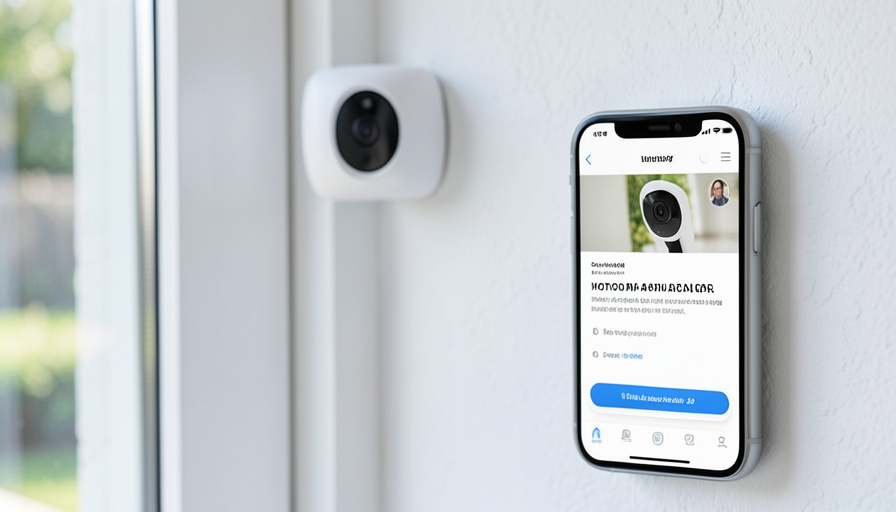
Nest Aware Alternatives With Person Alerts and No Monthly Fee
Nest cameras are good, but the useful part, being told a person is at your door rather than a passing car, sits behind Nest Aware at roughly eight to fifteen dollars a month, forever. Plenty of cameras do the same person detection on the hardware you buy once, with nothing more to pay. Here are the ones worth considering.
The monthly fee is the whole business model, and it adds up: person alerts, event history, and familiar-face detection are the features people actually want, and on Nest they lapse the moment you stop paying. The alternative is a camera that runs its detection on-device and stores footage locally, so the intelligence lives in the hardware instead of a subscription. You trade some cloud convenience for owning the thing outright. For a lot of homeowners that is an easy trade.
Bottom Line First
The strongest no-subscription options for person alerts are Eufy, Reolink, and TP-Link Tapo among consumer brands, all of which run AI person detection on the camera or a local hub and store clips on a microSD card or hub with no fee. For more serious setups, Amcrest and Ubiquiti’s UniFi Protect give you local recording with strong on-device detection, at a higher effort and cost. Apple’s HomeKit Secure Video also does person, face, and package detection without a per-camera fee, though it uses iCloud+ storage. The catch across all of them is that “no monthly fee” means you manage local storage yourself instead of leaning on the cloud.
How I picked these, and what “no fee” really means
The bar was on-device person detection with no mandatory subscription to keep it, plus a real way to store footage locally. I favored brands with encrypted local storage and a track record, and I have flagged the trade-offs rather than pretending there are none. The honest catch is that avoiding a fee means the storage becomes your job: a microSD card, a hub, or a recorder in your home rather than clips waiting in the cloud. That is more private and cheaper over time, but it does mean a lost or stolen camera can take its own footage with it unless it also writes to a hub.
Eufy
Eufy is the default recommendation for no-fee person alerts. Its cameras run AI detection for people, pets, and sound on-device, and store clips on a microSD card or, better, on a HomeBase hub that centralizes encrypted storage for every Eufy camera in the home, with the higher-end hub even handling facial recognition locally. There is no required subscription for the core features, and cloud storage is optional if you want it. For most people who just want reliable person alerts without a bill, Eufy is the easiest starting point.
Reolink
Reolink is the pick for privacy and local control. Its cameras pair in-house AI that runs without a cloud connection with local storage on a microSD card or a network recorder, and many models support open standards like RTSP and ONVIF, which means you can run them fully offline if you want. Person and vehicle detection happen on the device, with no subscription tier gating them. If the idea of your footage never touching a company’s servers appeals to you, Reolink is built for exactly that.
TP-Link Tapo
Tapo is the budget champion. Its cameras are inexpensive, offer person and motion detection, and record to a removable microSD card, all without a subscription. Many models also work with Apple HomeKit. You give up some of the polish and hub options of Eufy, but for covering a few rooms or a driveway cheaply while still getting real person alerts, Tapo is hard to beat on price.
Amcrest and Ubiquiti UniFi Protect
For homeowners who want a more serious, hands-on system, two options stand out. Amcrest cameras offer on-device human detection and record locally to a microSD card or a network recorder with no subscription, and they play nicely with standard recording setups. Ubiquiti’s UniFi Protect is the enthusiast choice: a self-hosted system where a local recorder does strong person and vehicle detection with no ongoing fee at all. UniFi costs more upfront and takes more setup, but it gives you cloud-grade smarts entirely on your own hardware, which is the purest form of escaping a subscription.
Apple HomeKit Secure Video
If you are in the Apple world, HomeKit Secure Video is a clever middle path. It performs person, face, and package detection without charging a per-camera fee, and it works with compatible cameras from brands like Eufy and Tapo. The asterisk is that it stores footage in iCloud+, so it relies on an iCloud plan you may already pay for rather than being truly storage-free. If you already have iCloud+ and use Apple devices, though, it effectively adds smart alerts at no extra cost and with strong privacy.
A note on Wyze
Wyze used to be the obvious budget answer here, but it is worth a caution. Its more recent cameras have pulled back on free storage, and its local microSD approach is weaker than it once was, which pushes more of the value toward a paid plan. It can still work on a tight budget, but it is no longer the clear no-fee bargain it was, so go in checking exactly which features are free on the specific model before you buy.
Key Takeaways
- Eufy, Reolink, and TP-Link Tapo all offer on-device person detection with local storage and no required subscription.
- Amcrest and Ubiquiti UniFi Protect suit more serious setups, with strong local detection at higher cost and effort.
- Apple HomeKit Secure Video does person, face, and package alerts with no per-camera fee, but uses iCloud+ storage.
- No monthly fee means you manage local storage yourself, which is cheaper and more private but your responsibility.
- Wyze is no longer the clear no-fee bargain it once was, so check which features are free before buying.
For more smart-home and home-tech guides, browse the DelightfulBlogs Tech section, or follow our Home Improvement desk.
Frequently Asked Questions
Which security cameras have person detection without a subscription?
Eufy, Reolink, and TP-Link Tapo all run person detection on the camera or a local hub and store footage locally without a mandatory fee. Amcrest and Ubiquiti UniFi Protect do too, aimed at more serious setups, and Apple’s HomeKit Secure Video adds person alerts without a per-camera charge.
Does “no monthly fee” mean I lose anything compared to Nest Aware?
Mainly cloud convenience. Without a subscription you store footage locally on a card, hub, or recorder that you manage, rather than in the cloud. That is cheaper and more private over time, but you handle backups yourself, and a camera without a hub can lose its footage if it is stolen.
Is Eufy or Reolink better for no-fee person alerts?
Both are excellent. Eufy is the easier, more consumer-friendly option with hub-based encrypted storage and facial recognition. Reolink is the pick if you want maximum local control and offline operation through open standards like RTSP and ONVIF. Your priority between simplicity and control decides it.
Does Apple HomeKit Secure Video cost money?
There is no per-camera fee, but it stores footage in iCloud+, so you need an iCloud plan, which many Apple users already have. If you do, it adds person, face, and package detection at effectively no extra cost, with strong privacy since footage is end-to-end encrypted.
Is Wyze still a good no-subscription camera?
Less than it used to be. Recent Wyze cameras have reduced free storage and weakened the local microSD experience, moving more value behind a paid plan. It can still work on a budget, but check exactly which features are free on the specific model before relying on it.
What To Do Next
Decide how much you want to manage before you pick a brand. If you want person alerts to just work with the least fuss, get a Eufy and add a hub. If privacy and offline control matter most, Reolink is built for it. On a tight budget, Tapo covers the basics cheaply, and if you are an Apple household with iCloud+, HomeKit Secure Video may already be the answer sitting in your settings. Whatever you choose, you are buying the intelligence once instead of renting it, and that is the whole point of leaving Nest Aware behind.