
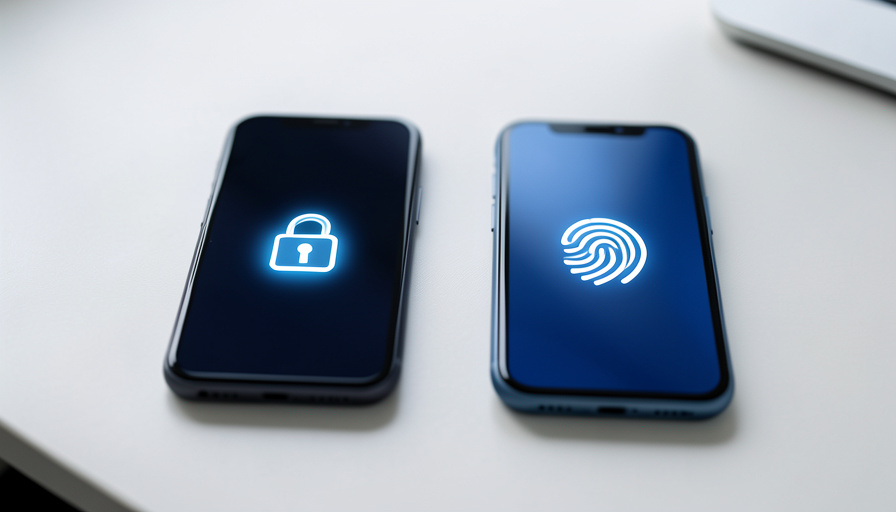
Do Passkeys Sync Between iPhone and Android?
Short version, so you can stop worrying: yes, you can log into the same account from both an iPhone and an Android using passkeys. What does not happen automatically is the passkey itself syncing across the two. Apple and Google keep their own, and knowing that is the whole key to setting this up without frustration.
Passkeys are meant to replace passwords with something both safer and simpler, and they mostly deliver. The one place people hit a wall is living in both worlds at once, an iPhone in your pocket and an Android tablet on the desk, or a switch from one to the other. The confusion is understandable, because “passkeys sync automatically” is true within each ecosystem and false between them. Here is exactly how it works and what to do about it.
Quick Answer
A passkey is a cross-platform standard, so any account that supports passkeys will accept one whether you are on iPhone or Android. But the built-in syncing does not cross ecosystems: a passkey saved to Apple’s iCloud Keychain does not sync to Google Password Manager on Android, even for the same login. To use one login smoothly on both, you have four options: register a separate passkey on each platform, store your passkeys in a cross-platform password manager like 1Password or Bitwarden, use Google Password Manager, which now spans multiple platforms, or sign in on one device using the other device’s passkey by scanning a QR code.
What “synced passkeys” really means
When a passkey syncs, it is being backed up and shared by a credential manager across the devices that manager controls. Apple’s iCloud Keychain syncs your passkeys across your Apple devices, so a passkey you create on an iPhone is there on your iPad and Mac. Google Password Manager does the same across Android and, increasingly, other platforms. Within one of those worlds, syncing happens automatically and you rarely think about it. The mental model to hold is that a passkey lives inside a specific manager, and it travels wherever that manager reaches.
The gap between Apple and Google
The catch is that Apple’s manager and Google’s manager do not talk to each other. A passkey stored in iCloud Keychain stays in the Apple world, and a passkey stored in Google Password Manager stays in the Google world, so the same login does not magically have one shared passkey across an iPhone and an Android. This is not a bug or an oversight you can toggle off; it is simply that each company syncs its own vault. Once you accept that the two ecosystems keep separate copies, the solutions stop feeling like workarounds and start feeling obvious.
How to use one login on both platforms
There are four practical routes, and most people end up using more than one:
- Register a passkey on each platform. Most sites let you add more than one passkey to an account, so create one on your iPhone and a second on your Android. They live in separate managers, but both unlock the same login.
- Use a cross-platform password manager. Apps like 1Password, Bitwarden, and Dashlane store passkeys and sync them across Apple, Google, and Windows, which is the cleanest way to have the same passkey follow you everywhere. On modern iOS and Android, these can act as your default credential provider.
- Lean on Google Password Manager. Google now syncs passkeys across Android, and also to iOS, macOS, and Windows through Chrome, making it one of the broadest built-in options if you are willing to use it as your manager on every device.
- Use cross-device sign-in for one-offs. If you only need to log in once on the other platform, you can sign in on, say, an Android by scanning a QR code with your iPhone, which uses the phone’s passkey over a local connection. It does not copy the passkey; it just borrows it for that login.
What is coming next
The gap is being addressed at the standards level. The FIDO Alliance has been developing a Credential Exchange Protocol, first published for review in late 2024 and updated since, that defines a secure way to move passkeys between managers, for example exporting from iCloud Keychain into 1Password or from Google Password Manager into Bitwarden, without re-registering at each website. As this rolls out across the major providers, switching ecosystems or consolidating your passkeys into one manager should become a simple export rather than a manual redo. For now, treat it as promising but still arriving.
What To Know
- Passkeys work on both iPhone and Android; the same account will accept a passkey from either platform.
- Apple’s iCloud Keychain and Google Password Manager do not sync passkeys to each other, so a single passkey does not span both automatically.
- To use one login on both, register a passkey on each platform, or store passkeys in a cross-platform manager like 1Password or Bitwarden.
- Google Password Manager now reaches beyond Android, and cross-device QR sign-in covers one-off logins on the other platform.
- The FIDO Credential Exchange Protocol will eventually let you move passkeys between managers, but it is still rolling out.
For more technology guides, browse the DelightfulBlogs Tech section, or follow our News desk.
Frequently Asked Questions
Can I use the same passkey on iPhone and Android?
Not the exact same synced passkey through the built-in tools, because Apple and Google do not sync to each other. But you can use the same login on both by registering a passkey on each, or by storing your passkeys in a cross-platform manager like 1Password or Bitwarden, which does sync across both.
Why don’t my passkeys show up when I switch to Android?
Because passkeys created on an iPhone are usually saved in iCloud Keychain, which does not sync to Google Password Manager on Android. The passkey is not lost; it just lives in the Apple ecosystem. Add a passkey on Android, or use a cross-platform manager, to have it on both.
Do passkeys work across different platforms at all?
Yes. The passkey standard is cross-platform, so any site that supports passkeys accepts them on iPhone, Android, Windows, and Mac. The limitation is only about which manager stores and syncs a given passkey, not about whether passkeys function on each platform.
How do I sign in with a passkey on a device that doesn’t have it?
Use cross-device sign-in. When prompted, choose to use a passkey from another device and scan the QR code with the phone that holds it. The phone authenticates over a local connection, logging you in without copying the passkey to the new device.
Will I be able to move passkeys between Apple and Google later?
That is the goal of the FIDO Credential Exchange Protocol, which defines a secure way to export and import passkeys between managers without re-registering. It is being adopted gradually, so full, easy transfers between ecosystems are coming rather than fully here.
What This Means
Passkeys are genuinely better than passwords, and the cross-ecosystem gap is the one rough edge worth understanding before it trips you up. The fix is not to fight Apple and Google into syncing with each other, which they will not do, but to choose where your passkeys live. If you regularly straddle both worlds, put them in a cross-platform manager and be done with it. If you mostly stay in one, the built-in syncing already works, and a second passkey or a quick QR scan covers the rare crossover. Either way, the login still works on both phones; it is only the plumbing behind it that has a seam.