
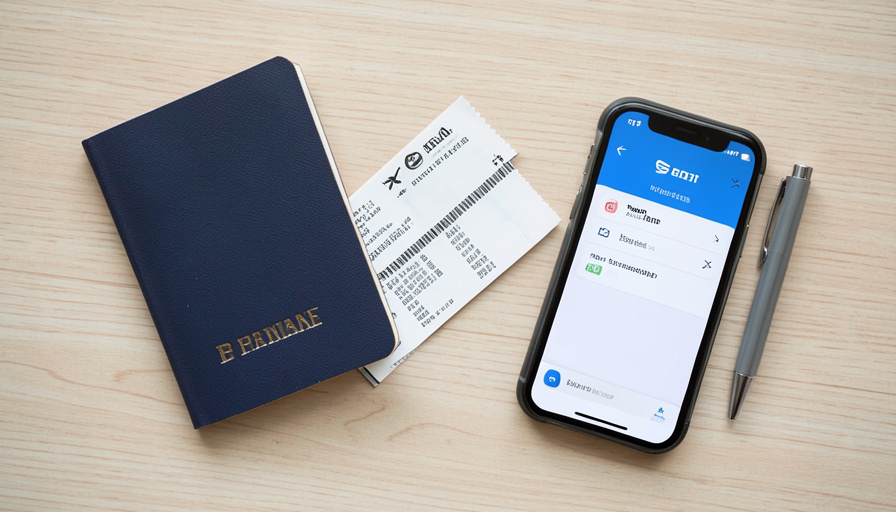
When Your Frequent-Flyer Name Doesn’t Match Your Passport
A small gap between the name on your frequent-flyer profile and the name in your passport looks harmless until it costs you a batch of miles, breaks your PreCheck, or turns into a conversation at the gate. Here is what actually has to match, and what you can stop worrying about.
Most travelers set up a frequent-flyer account once, years ago, and never think about the exact spelling again. Then a booking goes through with a slightly different version of your name, and suddenly the miles do not post, or the PreCheck mark is missing from your boarding pass. None of it is mysterious once you know which fields the system actually checks, and the fixes are usually quick if you catch them early.
The Short Version
For getting on the plane, the rule that matters is Secure Flight: your first and last name, date of birth, and gender on the booking need to match your passport or government ID. Middle names are far more flexible than airlines imply and are often omitted without any problem. The bigger everyday risk from a name mismatch is not being denied boarding; it is missing frequent-flyer miles and losing your TSA PreCheck benefit, both of which depend on your names lining up consistently across your profile, your ID, and your ticket. Most mismatches are fixable by correcting the booking or updating your loyalty profile, ideally well before you fly.
What actually has to match
The system doing the checking is TSA’s Secure Flight, and it is narrower than the scary “must match exactly” warnings suggest. According to TSA’s own guidance, what needs to line up with your government ID is your first (given) name and last (family) name, along with your date of birth and gender. Those are the identity fields that get matched against watchlists. If your passport says Jonathan Doe and your ticket says Jonathan Doe, you are fine, even if a middle name is missing. The exact-match panic usually comes from airlines being cautious, not from Secure Flight rejecting a truncated middle name.
Why your frequent-flyer name matters more than you think
Here is where a mismatch actually bites. Two benefits quietly depend on your names being consistent. The first is mileage credit: airlines post miles to the account whose name matches the traveler, so if your loyalty profile reads differently from your booking, the miles can simply fail to appear. The second is TSA PreCheck. Your Known Traveler Number only attaches, and prints PreCheck on your boarding pass, when the name and details on your reservation match the name on your trusted-traveler enrollment. If you enrolled as John David Doe but your airline profile is saved as J David Doe, the match can fail and the PreCheck mark drops off. Consistency across all three, ID, enrollment, and profile, is what keeps both working.

What is actually flexible
Plenty of small differences are harmless, and it helps to know which. Middle names are the big one: omitting a middle name generally causes no issue, and booking systems routinely truncate, merge, or drop middle names without incident, since Secure Flight prioritizes first and last name. Minor typos, a single transposed or missing letter, are usually correctable and rarely stop you at security, though you should still fix them. Suffixes like Jr. and hyphenated or two-part surnames cause the most confusion, because different systems store them differently, so those are worth checking deliberately. The goal is a first and last name that clearly matches your passport, not a character-for-character replica of every field.
How to fix a mismatch
The fix depends on where the error lives and how soon you fly. If the mistake is on a booking you just made, most airlines let you cancel for free within 24 hours when you booked at least seven days before departure, so you can rebook cleanly with the correct name. Past that window, contact the airline directly and ask for a name correction; minor spelling fixes are often free or low-cost, while a full name change is treated differently. If the problem is your loyalty profile rather than the ticket, update the name in your frequent-flyer account to match your passport, and for missing miles, airlines have a retro-credit or missing-miles request process where you submit the flight details after the fact. Whatever the case, fix it before you travel rather than at the airport, where your options shrink.
What Matters Most
- Secure Flight matches your first name, last name, date of birth, and gender to your government ID, not every field.
- Missing or truncated middle names generally do not cause boarding problems.
- The real cost of a mismatch is usually lost miles and a dropped TSA PreCheck mark, not being turned away.
- PreCheck only prints when your reservation name matches your trusted-traveler enrollment exactly enough to link.
- Fix errors early: use the 24-hour cancellation window, request an airline name correction, or update your loyalty profile.
For more air-travel tips, browse the DelightfulBlogs Travel section, or follow our News desk.
Frequently Asked Questions
Does my ticket name have to match my passport exactly?
Your first and last name, date of birth, and gender need to match your government ID under TSA Secure Flight. Middle names are treated flexibly and are often omitted or truncated without issue, despite airlines frequently warning that everything must match exactly.
Will I miss miles if my frequent-flyer name is wrong?
You can. Airlines credit miles to the account matching the traveler, so if your loyalty profile name differs from your booking, the miles may not post. You can usually request missing miles afterward by submitting the flight details, but keeping the names consistent avoids the problem.
Why is my TSA PreCheck missing from my boarding pass?
Usually a name or detail mismatch. PreCheck attaches when your reservation matches your trusted-traveler enrollment, including your Known Traveler Number and name. If your airline profile is saved differently from your enrollment, the link can fail and PreCheck drops off the pass.
How do I fix a misspelled name on my airline ticket?
If you booked within the last 24 hours and at least seven days before departure, cancel for free and rebook correctly. Otherwise, contact the airline and request a name correction. Minor spelling fixes are often simple, while a full name change follows a stricter process.
Do I need my middle name on my airline ticket?
Usually not. Secure Flight focuses on first and last name matching your ID, and booking systems commonly drop or merge middle names without problems. It is still wise to keep your profile consistent with your passport for PreCheck and mileage purposes.
What To Do Next
Take two minutes before your next trip and line things up: open your frequent-flyer profile, compare it letter for letter against your passport, and make sure your booking uses that same first and last name. Confirm your Known Traveler Number is saved and your PreCheck is showing on the pass. It is a small, boring check, and it is far easier than untangling a dropped PreCheck mark or chasing missing miles later. The names only have to agree on the parts that count, but on those parts, they really do need to agree.