
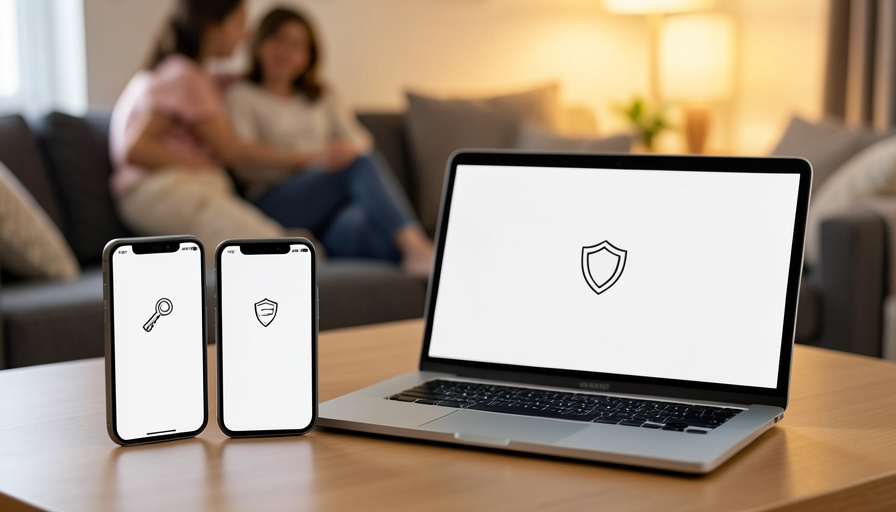
9 LastPass Alternatives for Families Moving to Passkeys
A lot of households are doing two things at once right now: leaving LastPass after its security troubles shook their trust, and moving to passkeys, the phishing-resistant sign-in that replaces the password entirely. Do both together and the requirements get specific. You need a manager that stores and shares passkeys, covers a family plan, and works fully on both iPhone and Android, because mixed-device homes are the norm. Here are nine alternatives that fit, and what separates them.
The good news is that by 2026 every serious password manager treats passkeys as a first-class item, so you can save one to a shared family vault the same way you would a password, which finally makes shared accounts genuinely secure. The differences now are about family features, cross-platform reach, and recovery when someone loses or switches a phone. Below, the picks run from the polished all-rounders to the free native options, with the trade-off that makes each one a fit.
The Short Version
For most families, 1Password is the easiest all-around choice, with full passkey support, family sharing, and alerts when sites add passkeys. Bitwarden is the value and open-source pick, Proton Pass is the privacy choice with a family plan for up to six, and Dashlane and NordPass round out the polished paid options, Dashlane bundling a VPN. Keeper and RoboForm add more family choices at the security-focused and budget ends. The free native tools, Apple Passwords and Google Password Manager, are excellent within one ecosystem but weaker across iPhone and Android together, which is exactly why a cross-platform manager wins for a mixed-device household. Whichever you pick, make sure it stores passkeys and has a clear recovery plan for a lost phone.
What to look for in a family passkey manager
Four things matter when a whole family is moving to passkeys. First, real passkey support: the manager should treat passkeys as their own item and let you use them across your devices, the way it already handles passwords. Second, sharing, so a passkey for a shared streaming or shopping account lives in a family vault everyone can reach. Third, true cross-platform coverage, meaning full apps and browser extensions on iPhone, Android, Windows, and Mac, since a manager that is great on one platform and thin on another breaks a mixed-device home. Fourth, recovery, because passkeys are tied to devices, so you want family emergency access or account recovery for the day someone loses or replaces a phone. Keep those four in mind and the right pick gets obvious.
1Password
1Password is the smoothest all-around choice for families and a common landing spot for people leaving LastPass. It offers full passkey support on every platform, lets you share passkeys and passwords in family vaults, and its Watchtower feature even flags when a site you use adds passkey support so you can upgrade. The Families plan covers several members with a family organizer who can help with recovery. It is a paid subscription, but for a household that wants passkeys to just work across iPhone, Android, and the browser, it is the easy recommendation.
Bitwarden
Bitwarden is the value and open-source pick, and a favorite for people who want strong security without a big bill. It supports passkeys, hardware keys, and emergency access, works across every platform, and its Families plan is among the cheapest anywhere while still including shared collections. Being open-source, it can also be self-hosted by the technically inclined. The interface is a touch more utilitarian than 1Password’s, but for families who want full passkey and sharing features at a low price, it is hard to beat.
Proton Pass
Proton Pass is the privacy choice, built by the team behind Proton Mail with end-to-end encryption and a zero-knowledge design. Its Family plan covers up to six people managing passwords, passkeys, notes, and files in a shared, encrypted space, and it works across platforms. If your family already uses Proton’s mail or VPN, or you simply want a privacy-first company holding your credentials, Proton Pass fits naturally and supports the passkey workflow you are moving toward.
Dashlane and NordPass
Two polished paid options worth comparing. Dashlane offers a Friends and Family plan for up to ten people, full passkey support, and a bundled VPN, making it a strong pick for a larger household that wants extras beyond passwords. NordPass, from the team behind NordVPN, pairs a clean, easy interface with passkey support and a family plan, and tends to be one of the simpler tools to get non-technical relatives using. Both cover iPhone, Android, and browsers fully, so either works for a mixed-device family.
Keeper and RoboForm
Two more family-friendly options at different ends. Keeper is security-focused with a family plan, passkey support, and strong sharing and admin controls, suiting households that want tighter control and separate vaults per member. RoboForm is the budget veteran, with a family plan, passkey support, and reliable form-filling at a lower price than most, which makes it a practical choice for families who want the essentials covered without paying for extras. Both work across the major platforms, so neither leaves an iPhone or Android member behind.
The free native options: Apple Passwords and Google Password Manager
You may not need to pay at all, with one big caveat. Apple’s Passwords app and Google Password Manager both sync passwords and passkeys for free and are genuinely good, but each is strongest inside its own ecosystem. Apple’s works beautifully across iPhone, iPad, and Mac and reaches Windows through a browser extension, while Google’s shines on Android and Chrome. The moment your family spans both iPhone and Android, neither covers everyone smoothly, and sharing across the two is clumsy. That gap is the whole reason a cross-platform manager exists, so the free tools suit single-ecosystem families, and a paid manager suits genuinely mixed ones.
Main Takeaways
- Every major password manager now stores passkeys as a first-class item you can share in a family vault, so shared accounts get materially safer.
- 1Password is the easiest all-rounder, Bitwarden the best value and open-source, and Proton Pass the privacy pick with a family plan for six.
- Dashlane, NordPass, Keeper, and RoboForm round out the paid family options across different budgets and feature sets.
- Apple Passwords and Google Password Manager are free and excellent within one ecosystem but weak across iPhone and Android together.
- For a mixed-device family, prioritize full cross-platform coverage, passkey sharing, and a clear recovery plan for a lost phone.
For more security guides, browse the DelightfulBlogs Tech section, or see our guides to syncing passkeys across iPhone and Android and recovering passkeys after a lost phone.
Frequently Asked Questions
Can a password manager actually store passkeys?
Yes. As of 2026, all the major managers, including 1Password, Bitwarden, Proton Pass, Dashlane, NordPass, and Keeper, store passkeys as their own item type. You can save a passkey to your vault and, on family plans, share it in a family vault, which makes shared accounts far more secure than a shared password ever was.
Why leave LastPass?
Many families lost trust in LastPass after its well-publicized security breaches and moved to alternatives with stronger track records. If you are also adopting passkeys and want reliable cross-platform family features, switching is a natural moment to pick a manager that fits how your household actually uses devices today.
Which is best for a family with both iPhones and Androids?
A cross-platform paid manager like 1Password, Bitwarden, Proton Pass, Dashlane, or NordPass, because each works fully on both iPhone and Android plus browsers. The free native tools, Apple Passwords and Google Password Manager, are excellent within one ecosystem but do not cover a mixed household smoothly or share easily across the two.
What happens to passkeys if someone loses their phone?
Because passkeys sync through the manager’s account, a lost phone does not lose them; you sign in on a new device and they are there. Choose a manager with family emergency access or account recovery so a relative can help if someone is locked out, and set that recovery up before you need it rather than after.
Are the free Apple and Google options good enough?
For a single-ecosystem family, yes, they sync passwords and passkeys well for free. The limitation is cross-platform: Apple’s tool centers on Apple devices and Google’s on Android and Chrome, and sharing between the two is awkward. If everyone in your home uses the same ecosystem, the free option is fine; if not, a cross-platform manager is worth it.
The Bottom Line
Leaving LastPass and moving your family to passkeys is a good two-for-one upgrade, and the manager you choose is what makes it stick. Match it to your household: 1Password for effortless polish, Bitwarden for value, Proton Pass for privacy, and the others for specific needs, or the free native tools if everyone shares one ecosystem. Whatever you pick, confirm it stores and shares passkeys and that you have set up recovery for the inevitable lost or upgraded phone. Get those right, and the whole family lands on sign-ins that are both easier and far harder to phish.