
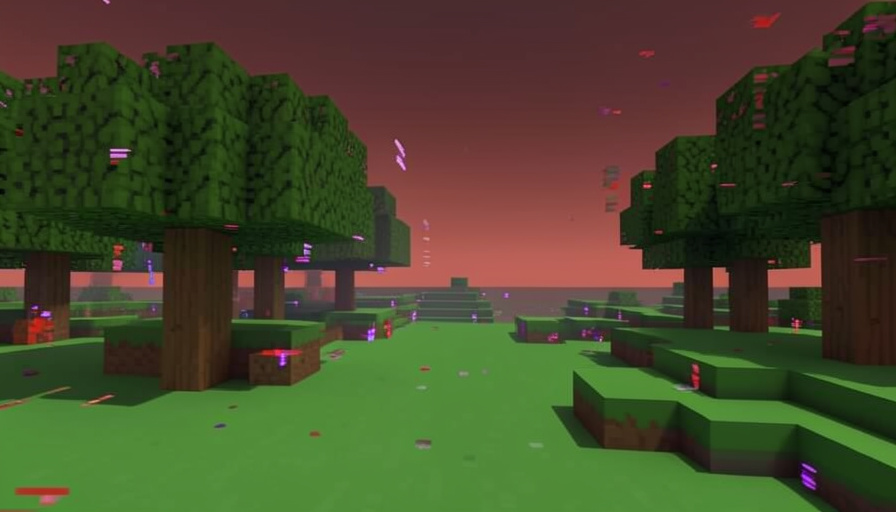
Minecraft Wilderness Bound Bugs and How to Fix Them
Wilderness Bound arrived with the usual mix of new blocks and new problems. For some players, mostly on Bedrock, it also arrived with crashes. Here are the bugs people keep hitting and the fixes that actually work.
Every big Minecraft drop breaks something, and Wilderness Bound is no exception. Most players updated and kept building, but a noticeable group, especially on Bedrock and mobile, ran into crashes, failed downloads, and glitchy menus the moment they installed it. The good news is that the most common problems have known workarounds, and Mojang is already patching others. Here is how to get playing again.
Short Answer
The most common Wilderness Bound crash happens when you open a world right after updating, and the usual fix is to temporarily turn off your active resource packs. If the update itself will not download on PC, clearing the Microsoft Store cache usually unblocks it. Bedrock and mobile players are seeing the most trouble, including UI glitches and crashes on tablets. Back up your worlds, apply the fixes below, and if a bug is on Mojang’s side, expect a quick follow-up patch.
If Minecraft crashes when you open a world
This is the big one, and it looks scarier than it is. If the game crashes the moment you load into a world after updating, the culprit is very often a resource pack that has not caught up with the new version. Before you panic about a lost world, try this:
- From the world’s settings, open Resource Packs, then Active.
- Temporarily remove or disable the active packs.
- Load the world again with packs off to confirm it opens.
If the world loads cleanly without packs, the pack was the problem, and you can re-enable them one at a time as updated versions appear. Your world data is almost always fine; it is the pack, not the save, that is crashing the game.
If the update will not download or install
A failed or stuck download is the other frequent complaint, and on Windows it usually traces back to the Microsoft Store rather than Minecraft itself. The standard fix is to clear the Store cache: press the Windows key and R together, type wsreset.exe, press Enter, let the blank window run and close on its own, then retry the download. On consoles and mobile, fully closing the app, checking for the update manually in your platform’s store, and restarting the device clears most stuck installs.
The bugs Bedrock players keep reporting
Wilderness Bound has been rougher on Bedrock Edition than on Java, which is a familiar pattern for day-one drops. Players have reported menu and UI glitches after updating to Bedrock 26.50, along with crashes on tablets like the iPad. There is no single switch for these, but a short checklist clears most of them:
- Force-close and reopen the game so it is not running on a half-loaded update.
- Confirm you are on the fully updated version, since a partial update causes odd UI behavior.
- Restart the device to clear memory, which resolves many tablet and console crashes.
- Back up important worlds before experimenting, so a crash never costs you a build.
If a bug survives all of that, it is likely on Mojang’s side and headed for a hotfix rather than something you can fix locally.
What the update already fixed
It is worth remembering that Wilderness Bound also squashed bugs, which is a sign fixes are actively shipping. The official Bedrock 26.50 changelog lists a pile of them, including a server crash tied to regenerating chunks, a fall-damage miscalculation when dropping through a single block of water, and a bug where players who died inside a Nether portal respawned in the Nether. Mojang tends to follow a big drop with quick patch releases, so a bug you hit this week is often gone the next.
Key Takeaways
- The most common crash is caused by outdated resource packs; disable active packs to open a stuck world.
- Failed PC downloads usually clear after resetting the Microsoft Store cache with wsreset.exe.
- Bedrock and mobile players are hitting the most issues, including UI glitches and tablet crashes.
- Force-close, fully update, restart the device, and back up worlds to clear most problems.
- Some bugs are Mojang’s to fix, and the update is already shipping patches.
For more on the update, see our take on what players think of Wilderness Bound, or browse the DelightfulBlogs Tech section.
Frequently Asked Questions
Why is Wilderness Bound crashing my game?
The most common cause is a resource pack that is not compatible with the new version, which crashes the game when you open a world. Disabling active resource packs usually fixes it. Bedrock and mobile players also see update-related crashes.
How do I fix a world that won’t open after updating?
Open the world’s settings, go to Resource Packs, and disable the active packs, then try loading again. If it opens, re-enable packs one at a time as updated versions release. Your world data is usually safe.
Why won’t the Wilderness Bound update download?
On PC, stuck downloads usually come from the Microsoft Store. Press Windows plus R, type wsreset.exe, press Enter, and retry. On consoles and mobile, fully close the app, check the store manually, and restart the device.
Is Wilderness Bound buggier on Bedrock than Java?
So far, yes. Bedrock players have reported more UI glitches and crashes, especially on tablets, which is a common pattern for the first days after a Bedrock update.
Should I wait to update?
If your game is stable, updating is fine, but back up important worlds first. If you rely on resource packs or play on an older tablet, waiting a few days for a hotfix and updated packs can save you the hassle.
What To Do Next
If Wilderness Bound is misbehaving, work top to bottom: back up your worlds, disable resource packs to rescue a crashing save, reset the Store cache to fix a stuck download, and restart the device for the mobile and console glitches. Most of what people are reporting is fixable in a couple of minutes, and the rest is on Mojang’s patch list. Update, apply the fixes, and the new forest will still be there waiting once your game stops fighting you.