
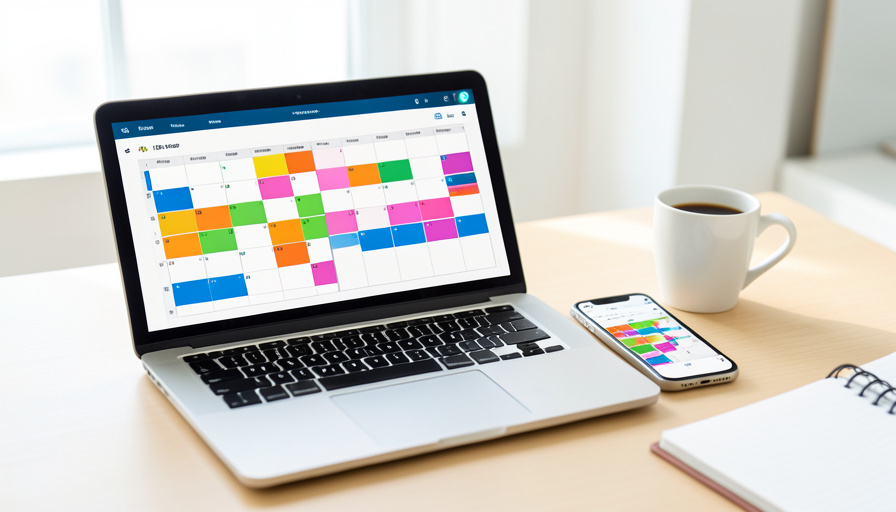
Apple Calendar vs Google Calendar: Which Stops Double-Booking?
Two people book the same slot, or you agree to a meeting that lands on top of school pickup, and it feels like the calendar failed you. Usually it did not. Double-bookings almost always come from a setting, a time zone, or a calendar the app could not see, not from Apple or Google being worse at their job. Here is how the two really compare in 2026, and why the honest answer to “which prevents double-booking” is not the one most comparisons give.
The short of it: Google has an actual feature built to stop people booking over you, and Apple, even after a notable 2026 upgrade, still does not. But if your life spans an iCloud calendar, a work Google account, and maybe an Outlook one, neither can see the whole picture, which is exactly where double-bookings sneak in. Let us look at what each does, then at the fix that beats both.
The Short Version
Google Calendar has Appointment Schedules, a bookable page that checks your calendar and automatically blocks a slot once someone takes it, which makes it the clear native winner for stopping other people from double-booking you. Apple Calendar has no equivalent booking page; its strength is shared iCloud calendars, and iOS 27 finally added a free/busy option so shared users can see when you are busy. The catch that undoes both is that each only sees its own calendars, so a meeting booked in Google can still collide with an event living in iCloud. For anyone juggling more than one calendar system, the real double-booking fix is a setup that checks all of them at once, plus buffers and correct time zones.
The real cause of double-booking, and it is rarely the app
Before comparing features, it helps to know where double-bookings actually come from, because the same three culprits show up on both platforms. The first is a calendar the booking tool cannot see: you keep personal events in iCloud but let people book through Google, so Google cheerfully offers a slot you are not really free for. The second is time zones. A booking page set to one zone and a traveler in another can agree on a time that means two different things, and the event lands an hour off. The third is missing buffers: back-to-back bookings with no gap leave no room to travel or reset, so a slightly long meeting eats the next one. Fix those three and most double-bookings disappear, whichever app you use.
Google Calendar Appointment Schedules
Google is the one with a purpose-built answer. Its Appointment Schedules let you publish a booking page where people pick an open slot, and the moment someone books, that time is blocked so no one else can take it. You can set buffer time before and after each appointment, a minimum notice period so no one books you in five minutes, and a cap on bookings per day. It is genuinely good at preventing others from double-booking you. The important limit is scope. On a free personal account, an appointment page checks only your primary calendar for conflicts; checking additional calendars you own or subscribe to requires an eligible paid plan. And in every case it only sees Google calendars, so events in iCloud or Outlook are invisible to it.
Apple Calendar shared availability
Apple approaches this differently, and until recently more thinly. Apple Calendar has no booking page at all, so there is no native way to let someone pick a slot and have it block automatically. What it offers is shared iCloud calendars, which work well for a family or a small team who can all see the same events. The 2026 upgrade matters here: iOS 27 finally added a free/busy option for iCloud events, so you can share availability without exposing every event’s details, something iCloud had long lacked. You can also share a calendar with specific people. But preventing double-booking still relies on everyone looking at the shared calendar and not creating conflicts, rather than the app enforcing it. To let outsiders book you, you need a third-party scheduling tool that reads your iCloud availability.

Head to head: which prevents double-booking
For the specific job of stopping other people from booking a time you are not free, Google wins outright, because it has a booking page that blocks slots automatically and Apple does not. For keeping a household or team from stepping on each other, Apple’s shared calendars are perfectly capable, especially now that free/busy sharing exists. Here is the practical breakdown.
| Capability | Google Calendar | Apple Calendar (iOS 27) |
|---|---|---|
| Native booking page | Yes, Appointment Schedules | No native option |
| Auto-blocks a booked slot | Yes | Not applicable |
| Buffers and minimum notice | Yes | No |
| Free/busy availability sharing | Yes | Yes, new in iOS 27 |
| Shared calendars for a group | Yes | Yes |
| Checks calendars from other providers | No, Google only | No, iCloud only |
The row that decides most real cases is the last one. Whichever app you pick, it is blind to the other, so the surest way to be double-booked is to let people book in one system while your conflicts live in another.
How to test your setup in five minutes
Rather than trust either app, prove it works. If you use Google’s booking page, open it in a private browser window and try to book a slot that overlaps an existing event; if it offers that time, the page is not checking the right calendar, and you likely need to add that calendar or upgrade the plan. Next, change your device to a different time zone in settings and reopen the page to confirm the slots shift correctly, since a page stuck on one zone is a classic double-booking trap for travelers. Finally, book two appointments back to back and check there is a gap; if there is not, turn on buffer time. On Apple’s side, share a calendar with a second account and confirm the other side sees your busy blocks, not a blank week. Five minutes of this beats discovering the gap when two people arrive at once.
Main Takeaways
- Google Calendar is the clear native winner for stopping others from booking over you, thanks to Appointment Schedules that auto-block slots.
- Apple Calendar has no booking page, but iOS 27 added free/busy sharing, so its shared calendars are stronger for families and teams.
- Both only check their own calendars, so events in a different system are invisible and are the top cause of double-bookings.
- Most double-bookings trace to an unseen calendar, a time-zone mismatch, or missing buffers, not to the app itself.
- Test any setup by trying to book over an existing event, switching time zones, and confirming buffers before you rely on it.
For more scheduling and productivity tips, browse the DelightfulBlogs Lifestyle section, or follow our Tech desk.
Frequently Asked Questions
Does Apple Calendar have anything like Google’s Appointment Schedules?
No. As of iOS 27, Apple Calendar still has no native booking page that lets people pick a slot and blocks it automatically. It offers shared iCloud calendars and, new in iOS 27, a free/busy sharing option. To give others a bookable page from your iCloud availability, you need a third-party scheduling tool.
Will Google’s booking page stop double-bookings on its own?
For times booked through that page, yes, because it blocks a slot once taken and can add buffers and a minimum notice. The gap is that a free account only checks your primary Google calendar, and no plan checks iCloud or Outlook, so an event in another calendar can still collide with a booked slot.
Why do I keep getting double-booked across time zones?
Usually the booking page or event is fixed to one time zone while the other person is in another, so a slot that reads 2 p.m. to you reads a different hour to them. Set your calendar and any booking page to update with your location, and when scheduling across zones, confirm the time in both zones before accepting.
Can I make Google and Apple calendars check each other?
Not natively; each only sees its own events. You can subscribe to one in the other for viewing, but that does not make a booking tool treat those events as conflicts. To have one page check availability across Google, iCloud, and Outlook together, use a dedicated cross-calendar scheduling tool that connects all of them.
Are buffers really necessary?
They prevent a common, avoidable double-booking: a meeting that runs a few minutes long crashing into the next one with no travel or reset time. Adding even a short buffer before and after appointments leaves room for overruns and transitions, which is why Google offers the setting and why it is worth turning on.
The Bottom Line
If the question is which app is better at stopping other people from booking over you, Google wins, because it built a feature for exactly that and Apple has not. If the question is which keeps a family or team coordinated, Apple’s shared calendars, now with free/busy, hold their own. But the deeper truth is that both are blind to calendars they do not own, and that blind spot, along with time zones and missing buffers, causes far more double-bookings than any feature gap. Pick the app that fits your world, then close the gaps with correct zones, real buffers, and a way to check every calendar at once. That, more than the brand, is what keeps two things off the same square.